> ## Documentation Index
> Fetch the complete documentation index at: https://docs.wappfy.com.br/llms.txt
> Use this file to discover all available pages before exploring further.
# Send Audio in GoHighLevel
> Step-by-Step guide on how to send audio in GoHighLevel
## Step-by-Step
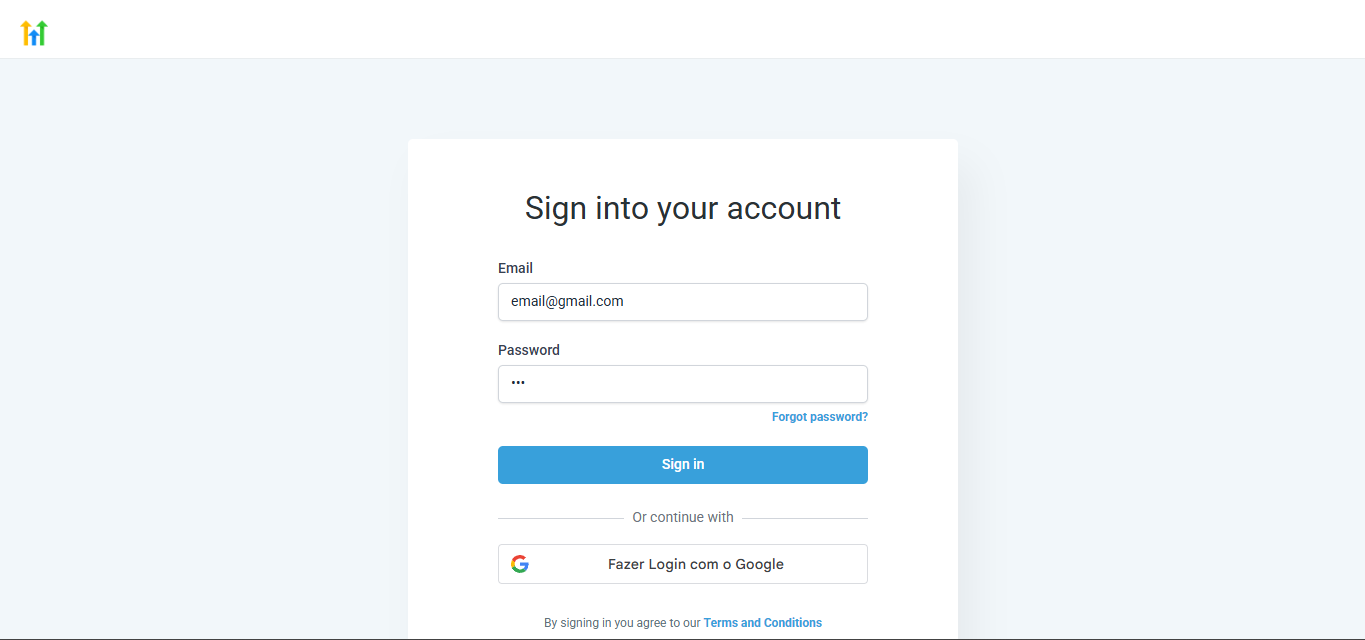
Log in to your AGENCY ACCOUNT in GoHighLevel.
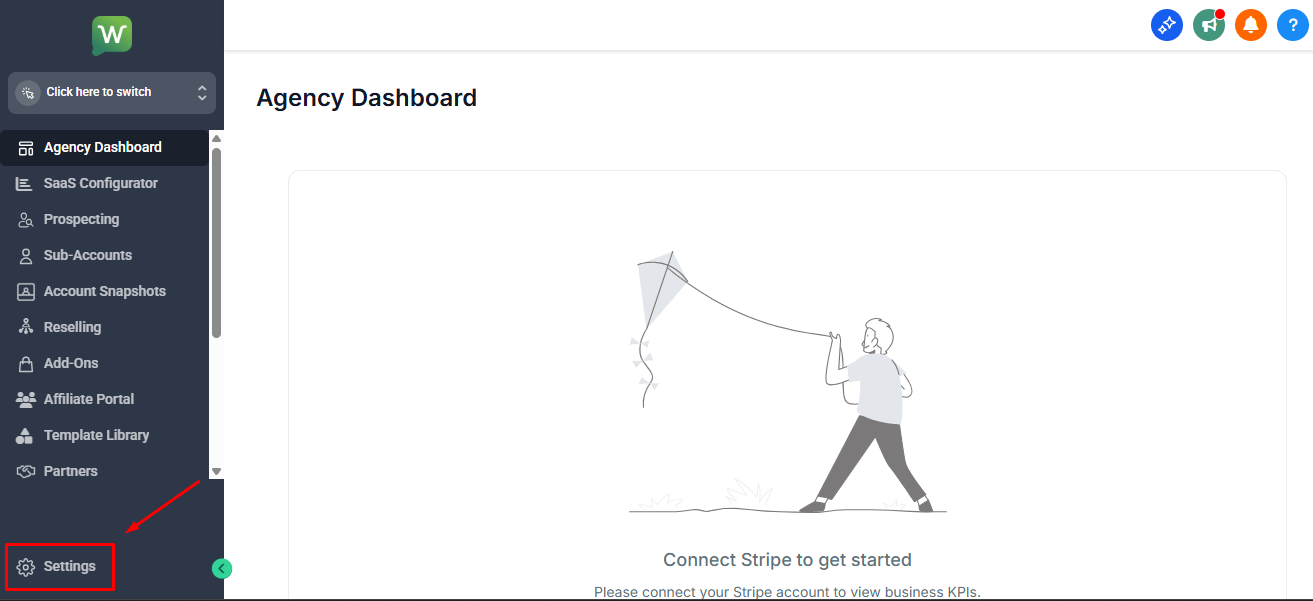
 Click on **Settings** in the sidebar menu.
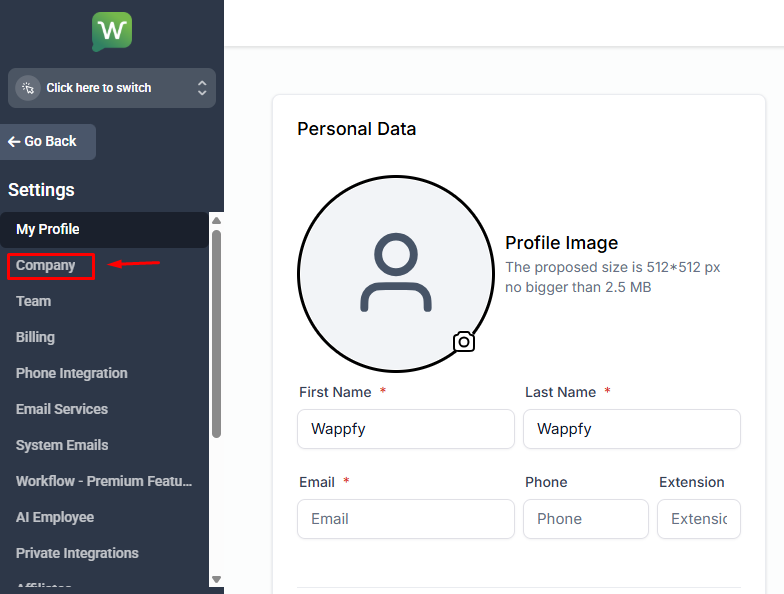
 Navigate to **Company** in the settings.
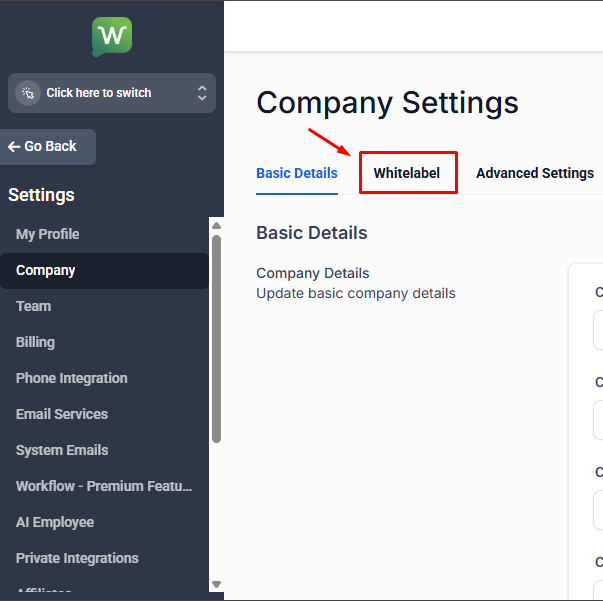
 Click on the **White Label** tab to access advanced settings.
 Scroll down to the "Custom JS" section and paste the custom JavaScript code in the field to enable audio sending:
```javascript theme={null}
```
Scroll down to the "Custom JS" section and paste the custom JavaScript code in the field to enable audio sending:
```javascript theme={null}
```
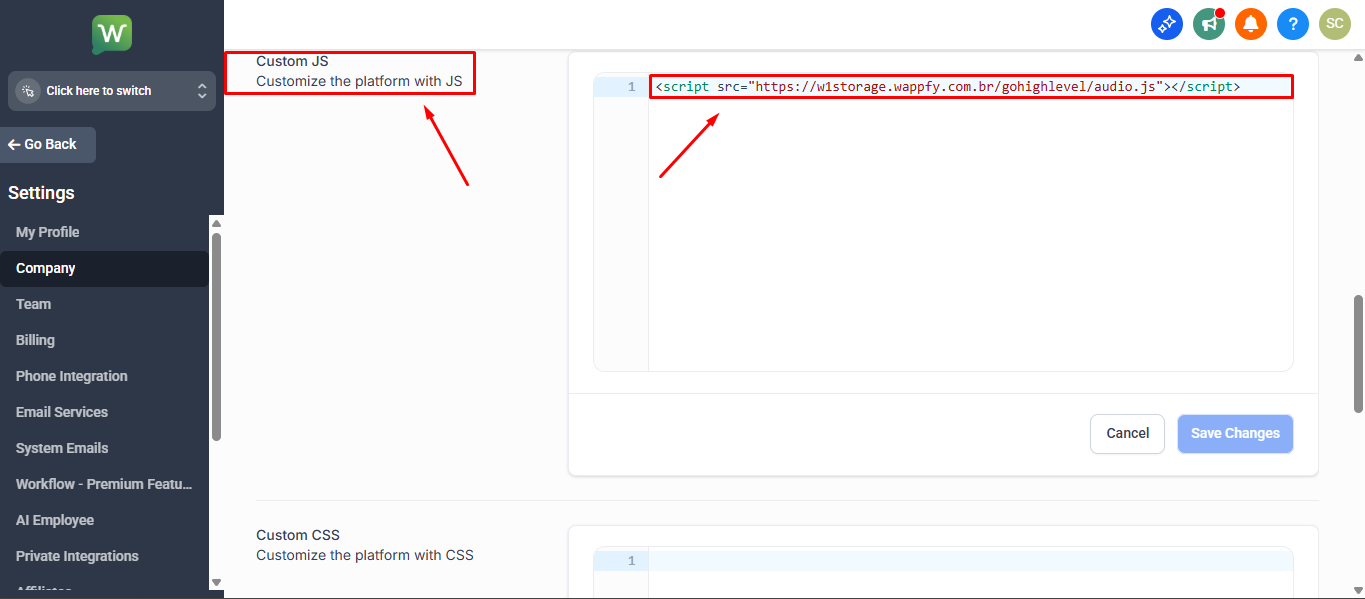 This script adds the audio sending functionality to the GHL conversations interface.
Now you can send audio directly through the GoHighLevel conversations interface!
This script adds the audio sending functionality to the GHL conversations interface.
Now you can send audio directly through the GoHighLevel conversations interface!
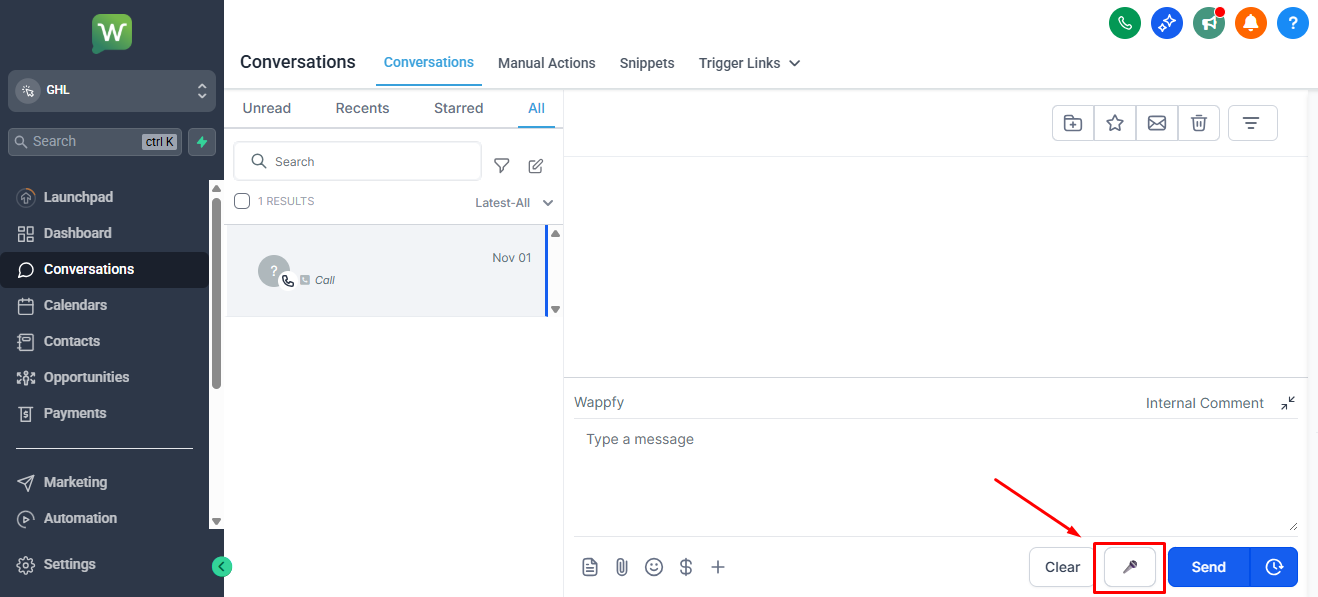 Done! You can now send audio to your contacts through GoHighLevel integrated with Wappfy.
## Important Tips
Make sure your Wappfy integration is active and working properly before sending audio.
Audio will be sent through the instance referenced as the first TAG associated with the GHL Conversation.
Done! You can now send audio to your contacts through GoHighLevel integrated with Wappfy.
## Important Tips
Make sure your Wappfy integration is active and working properly before sending audio.
Audio will be sent through the instance referenced as the first TAG associated with the GHL Conversation.