> ## Documentation Index
> Fetch the complete documentation index at: https://docs.wappfy.com.br/llms.txt
> Use this file to discover all available pages before exploring further.
# Integration with N8N
> Step-by-step on how to integrate with N8N
## Step-by-Step
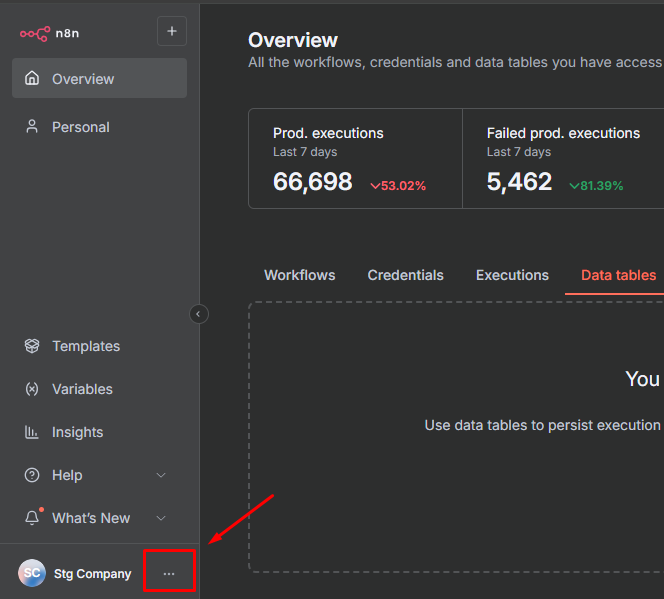
In N8N, click on the **three dots** in the upper right corner of the interface.
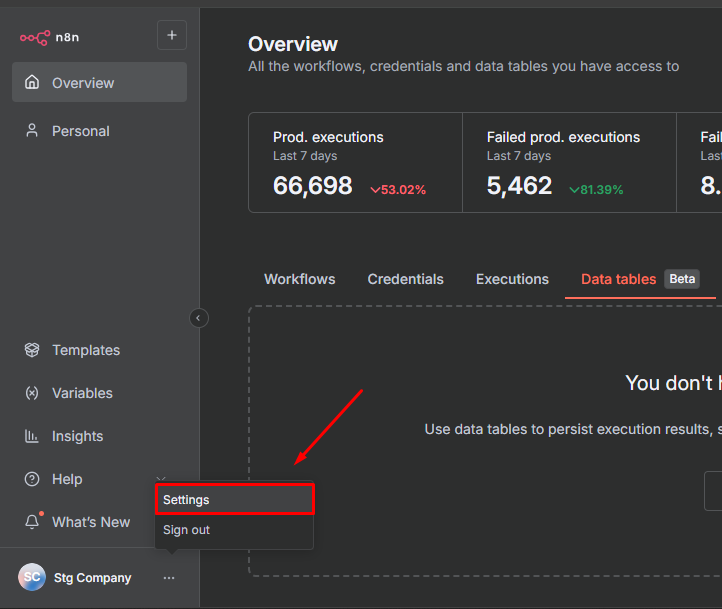
 Click on **Settings** in the dropdown menu.
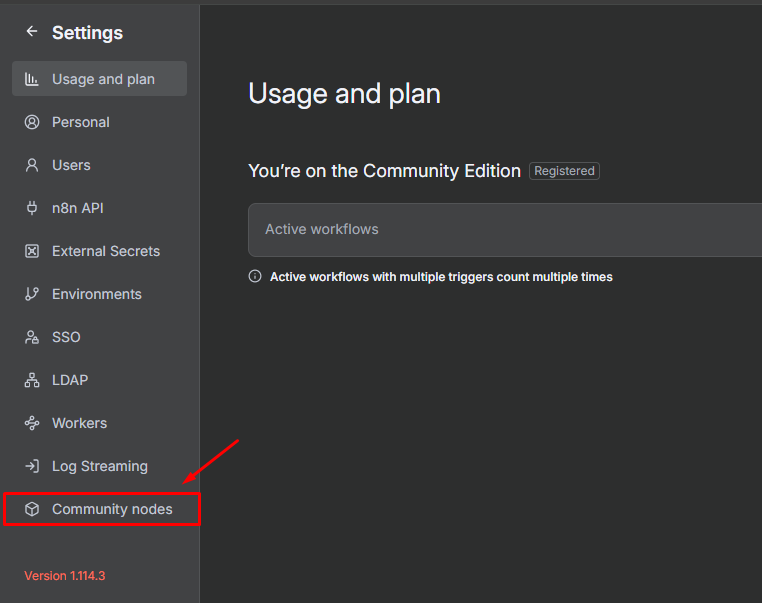
 In the settings, click on **Community nodes** to manage community packages.
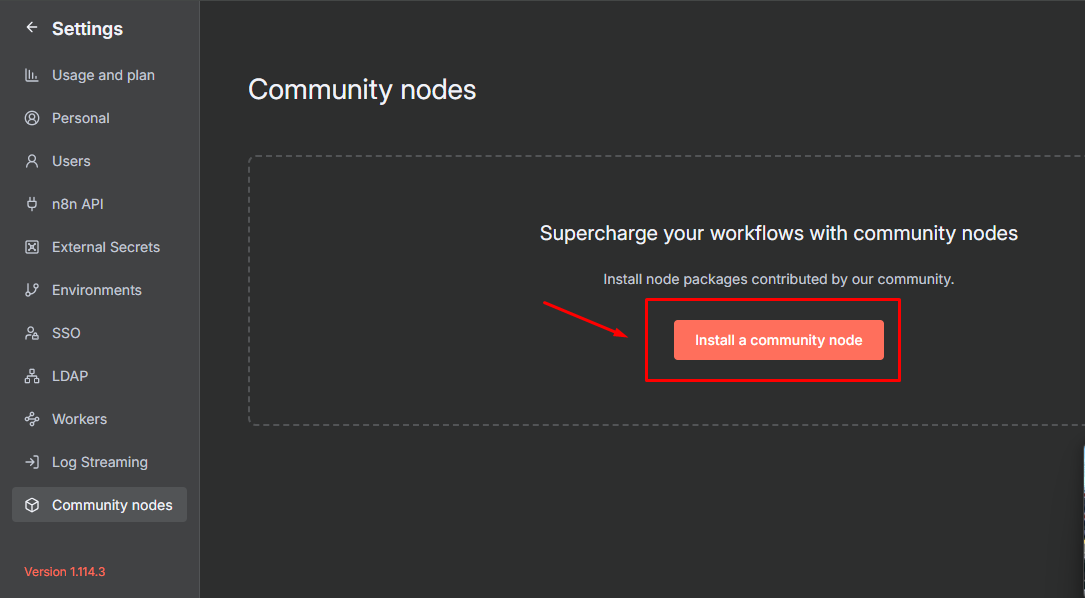
 Click the **Install a community node** button to add a new package.
 Enter the Wappfy NPM package name in the installation field and confirm the installation.
```
@wappfy/n8n-nodes-wappfy
```
Enter the Wappfy NPM package name in the installation field and confirm the installation.
```
@wappfy/n8n-nodes-wappfy
```
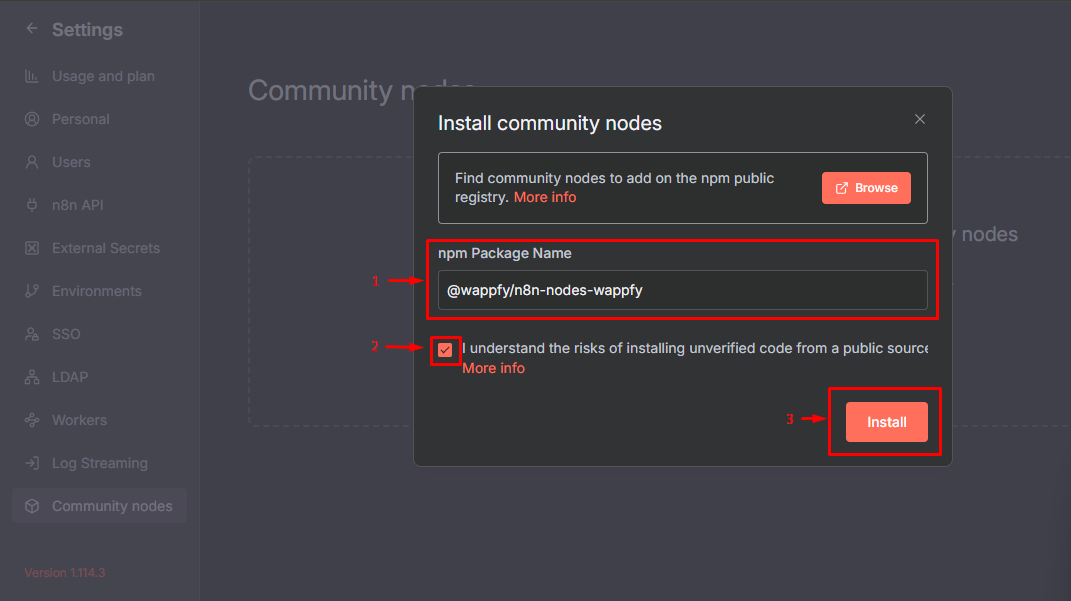 Wait for the package installation to complete. This may take a few moments.
In your workflows, search for **Wappfy** in the nodes search bar.
Wait for the package installation to complete. This may take a few moments.
In your workflows, search for **Wappfy** in the nodes search bar.
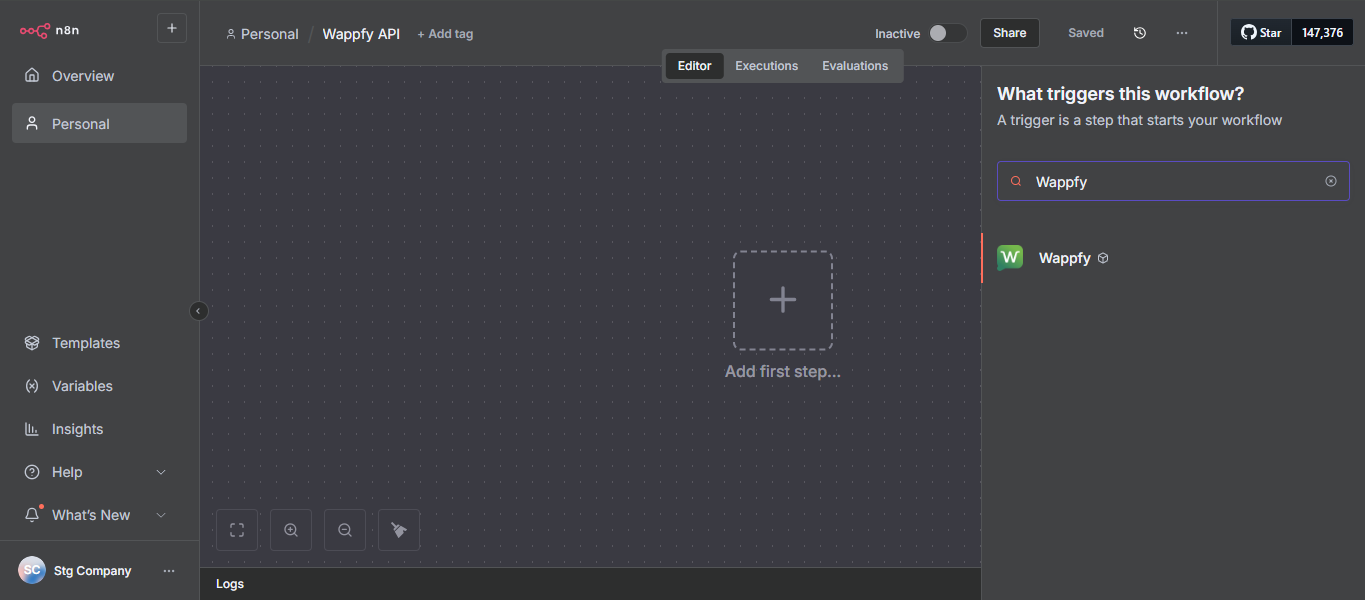 Select and add the desired Wappfy node to your workflow.
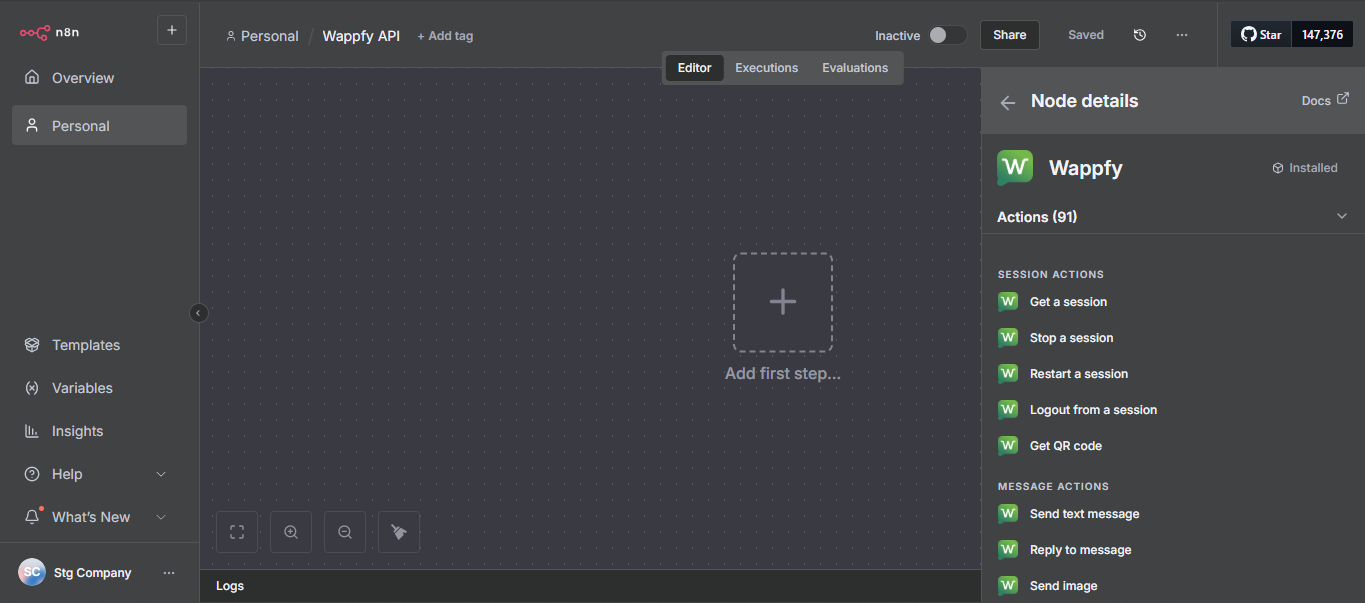 Configure your Wappfy API access credentials in the added node.
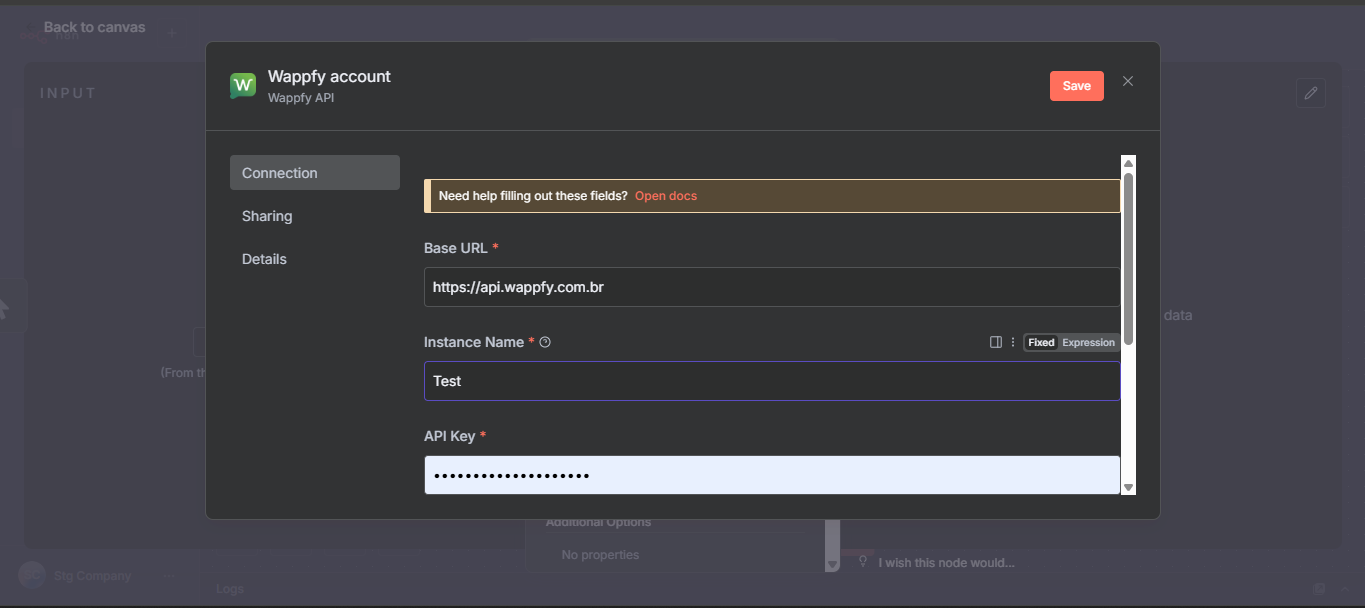 Done! The Wappfy integration is configured and you can start using it in your N8N workflows.
## Important Tips
Make sure you have an active Wappfy account and your API credentials before configuring the integration.
The **@wappfy/n8n-nodes-wappfy** package offers several nodes for different WhatsApp functionalities. Explore all available options!
To get your API credentials, access the Wappfy dashboard and navigate to the integrations or API section.
Done! The Wappfy integration is configured and you can start using it in your N8N workflows.
## Important Tips
Make sure you have an active Wappfy account and your API credentials before configuring the integration.
The **@wappfy/n8n-nodes-wappfy** package offers several nodes for different WhatsApp functionalities. Explore all available options!
To get your API credentials, access the Wappfy dashboard and navigate to the integrations or API section.